Working from home is a skill. And like any skill, it requires the right tools.
I've researched hundreds of products—chairs, desks, lights, mics—to find the ones that actually improve your workflow.
This guide is your roadmap. Whether you're setting up a corner in your bedroom or a dedicated studio, here is how to build a workspace that makes you want to work.
Core Pillars of a Setup
1. The Foundation: Chair & Desk
If you buy nothing else, get a good chair. It is the only piece of furniture that affects your health.
- Top Pick: Branch Ergonomic Chair – The best all-rounder.
- Budget Pick: FlexiSpot E7 – The best value standing desk.
2. The Visuals: Monitor & Lighting
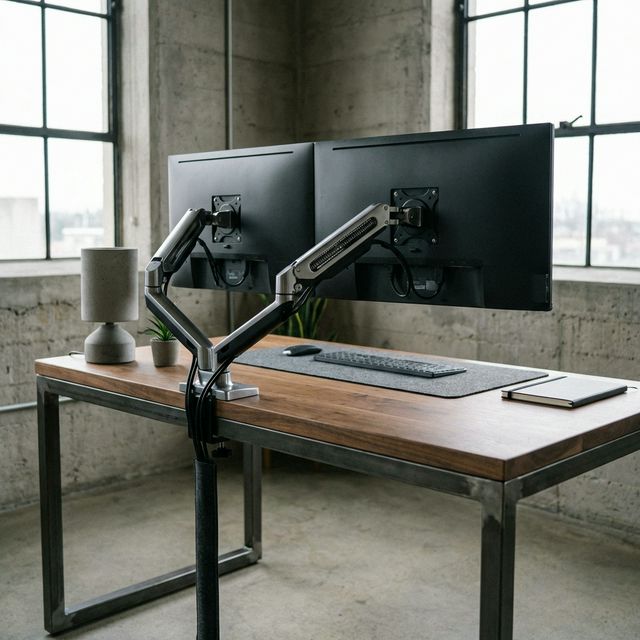
Don't hunch over a laptop. Raising your screen to eye level is the #1 fix for neck pain.
- Monitor: Dell UltraSharp U2723QE – The sharpest text for coding/writing.
- Lighting: BenQ ScreenBar – Saves desk space and reduces eye strain.
3. The Organization: Cables & Storage
A cluttered desk is a cluttered mind. Taking 30 minutes to manage cables changes the entire vibe of your room.
- Guide: Cable Management Solutions – How to hide every wire.
3 Common Mistakes to Avoid
I see these everyday on Reddit /r/battlestations. Don't waste your money.
- RGB Overload: It looks cool in photos, but distracts you in real life. Keep it subtle (bias lighting only).
- The "Gamer" Chair: Racing bucket seats are designed for cornering in a car, not typing. They force your shoulders forward. Always buy an office chair.
- Monitor Too High: If you have to look up, your neck creates a fulcrum. The top of your screen should be at eye level.
Setup Tiers
Tier 1: The "Starter" ($500 Budget)
Focus on the essentials. Comfort first, aesthetics second.
- Chair: Sihoo M18 ($150)
- Desk: IKEA Trotten ($149)
- Monitor: Acer 24" IPS ($110)
- Accessory: Laptop Stand ($30)
Tier 2: The "Professional" ($1,500 Budget)
This is where most remote workers should aim. High-quality gear that lasts 5+ years.
- Chair: Branch Ergonomic ($329)
- Desk: FlexiSpot E7 ($450)
- Monitor: Dell 27" 4K ($400)
- Lighting: Monitor Light Bar ($100)
Tier 3: The "Dream Setup" ($5,000+)
No compromises. The best of the best.
- Chair: Herman Miller Aeron ($1,600)
- Desk: Uplift V2 Commercial Walnut ($1,200)
- Monitor: Apple Studio Display ($1,600)
- Audio: Shure SM7B + Interface ($600)
The Must-Have Accessories Checklist
Regardless of your budget, these small items make a huge difference:
Final Verdict
Start with the chair. It's the most boring purchase but the most important. Then, get your monitor up to eye level. Everything else is secondary.
What we like
- Invest in your health first
- Buy quality once, cry once
What could be better
- It's a rabbit hole