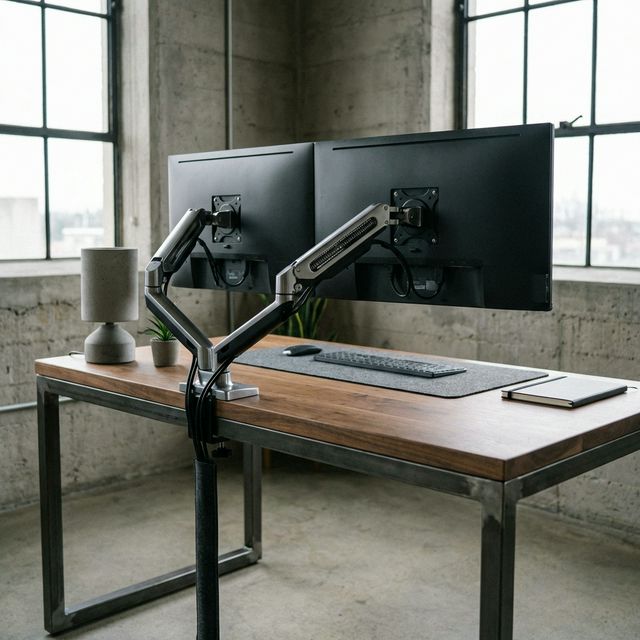
Your monitor stands are eating 30% of your desk. They are low, ugly, and gather dust.
A dual monitor arm doesn't just make your setup look like a spaceship; it reclaims your surface area and forces your screens to eye level. But beware: cheap arms wobble every time you type. We compared the top mounts to find the ones that are actually rock solid.
Top Picks at a Glance
1. HUANUO Dual Monitor Mount
– Best Value Overall
For 90% of people, the HUANUO Dual Monitor Mount is the right choice. It strikes the perfect balance between price and performance. Unlike cheaper static stands, this uses gas springs, allowing you to pull the monitors closer or push them away with a gentle touch.
It supports two 13-27 inch screens (up to 14.3lbs each) and mounts via a sturdy C-clamp or grommet hole.
Why we love it: The assembly is straightforward, and the cable management channels hide wires effectively. Stability is excellent for 24-inch monitors, and good for 27-inch lightweight models.
Best Value Overall
HUANUO Dual Monitor Mount
$39
- Gas Spring
- Cable Management
- Clamp/Grommet
2. VIVO Dual Monitor Desk Mount
– Best Budget Option
If you just want your monitors off the desk and don't plan to move them often, the VIVO Stand-V002 is unbeatable for the price. It's built like a tank.
Note that this is a static arm, not a gas spring arm. You set the height during installation, and that's where it stays. This actually makes it more stable than cheap gas arms, but less flexible if you switch between sitting and standing.
Why we love it: It's incredibly strong. I've mounted older, heavy monitors on this without a millimeter of sag. It's simple, reliable industrial design.
Best Budget Option
VIVO Dual Monitor Desk Mount
$40
- Heavy Duty Steel
- Simple Height Adj
- Sturdy
3. Ergotron LX Dual Stacking Arm
– The Premium Choice
If cost is no object—or if you have heavy, expensive monitors like the Apple Studio Display or large Ultrawides—the Ergotron LX is the gold standard.
Made of polished aluminum, it looks like a piece of modern art. The patented Constant Force™ technology means moving a monitor feels like moving a feather. It stays exactly where you put it, with zero drift.
Why we love it: The 10-year warranty speaks for itself. This is buy-it-for-life gear. It also has a taller pole option, making it great for stacking monitors vertically.
The Premium Choice
Ergotron LX Dual Stacking Arm
$280
- Polished Aluminum
- 10-Year Warranty
- Fluid Motion
Buying Guide: What to Look For
1. Gas Spring vs. Static
- Gas Spring (Dynamic): Allows you to move monitors up/down/forward/back instantly. Best for sit-stand desks or collaboration.
- Static (Pole): Height is fixed by a screw/bolt. Hard to change, but very stable and cheaper. Best for "set it and forget it".
2. Weight Capacity
Ignore screen size limits; look at weight capacity. If an arm says "up to 27 inches" but holds 20lbs, it can likely hold a light 32-inch monitor. Always check your monitor's weight without the stand.
3. VESA Compatibility
Almost all monitors use VESA 75x75 or 100x100 mounting holes. If your monitor doesn't have holes on the back, you'll need a non-VESA adapter kit.
Final Verdict
After comparing multiple arms, the HUANUO Dual Monitor Stand remains our top recommendation for most users. It offers the premium feel of a gas spring arm at a budget-friendly price point. For heavy-duty needs, upgrade to the Ergotron LX.
What we like
- Excellent value for money
- Easy installation
- Smooth adjustments
What could be better
- Plastic cable covers feel cheap