Most people type 10,000 words a week on a mushy laptop keyboard that forces their shoulders to roll forward. It's a recipe for RSI.
A mechanical keyboard isn't just about the "thocky" sound—it's about key travel, tactile feedback, and helping you type faster with less fatigue. But beware: pick the wrong switches, and your coworkers (or spouse) will hate you. Here are the best boards for productivity, not just gaming.
Top Picks at a Glance
1. The Enthusiast Choice
Keychron Q1 Pro
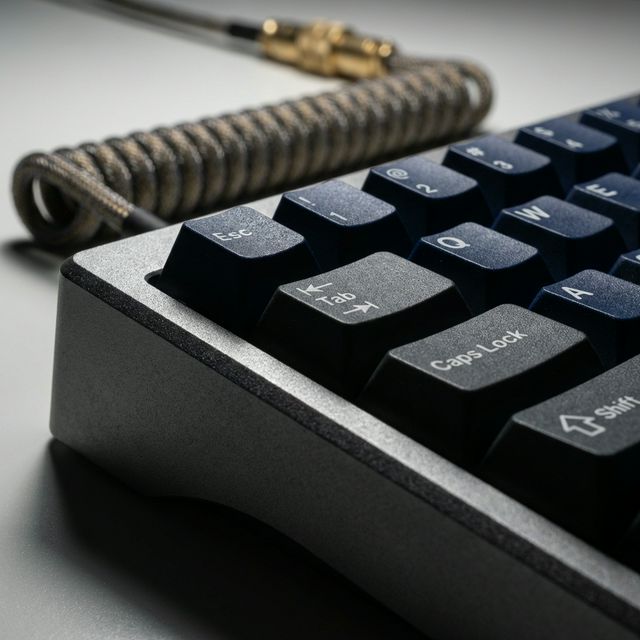
$199The Keychron Q1 Pro is a gateway drug. It features a full CNC aluminum body (it weighs 3+ lbs), gasket mounting for a soft typing feel, and enthusiast-grade switches.
- Mac Friendly: It works perfectly with macOS out of the box (unlike many custom boards) and supports wireless Bluetooth.
- Sound: If you want that deep, premium "thock" sound, this is it.
2. The Budget King
Rainy75
$109The Rainy75 broke the internet in 2024, and it's still the king in 2026. Why? Because it offers a $300 custom keyboard experience for $100.
- Unboxing: It comes with a full CNC aluminum case, a glass back weight, and "thocky" switches that sound incredible right out of the box. No modding required.
- Value: It puts shame to plastic keyboards that cost twice as much. The sound profile is deep and creamy.
3. The Digital Nomad's Dream
NuPhy Air75 V2
$119Most mechanical keyboards are too tall. The NuPhy Air75 uses low-profile switches that are 40% thinner than standard ones.
- Laptop Mode: It's designed to sit directly on top of your MacBook keyboard without pressing the keys underneath. This lets you use the mechanical feel while keeping your trackpad accessible.
- Aesthetic: Vibrant, fun, and extremely portable.
4. The Aesthetic Choice
Lofree Flow
$159If Apple made a mechanical keyboard, it would look like the Lofree Flow.
- Feel: It is arguably the smoothest low-profile keyboard on the market, thanks to its POM "Ghost" switches.
- Build: The all-aluminum body is incredibly sleek and minimal. It screams "Designer," not "Gamer."
5. The "Safe" Office Choice
Logitech MX Mechanical
$169If you work in a shared office and don't want to annoy your coworkers, the Logitech MX Mechanical is the play.
- Quiet: The "Tactile Quiet" switches are genuinely whisper-quiet but still feel mechanical.
- Battery: Lasts for months on a single charge. It pairs instantly with the Logi Options+ software (same as the MX Master mouse).
Buying Guide: Switches Explained
The most confusing part of mechanical keyboards is the color of the switch. Here is the cheat sheet:
- Red (Linear): Smooth, no bump, quiet. Best for fast typing/gaming.
- Brown (Tactile): A small "bump" when you press. Best for typing accuracy.
- Blue (Clicky): Loud "click" noise. Satisfying but do not buy these for an office. Everyone will hate you.
We recommend Brown (Tactile) switches for 90% of people. They offer the best balance of feedback and silence.
Final Verdict
If you want the best typing experience and don't mind the weight, get the Keychron Q1 Pro. It's in a league of its own. For travel or Mac users, the NuPhy Air75 is a masterpiece of design.
What we like
- Mechanical typing reduces finger fatigue
- Custom keycaps let you express style
What could be better
- It's an expensive hobby