You don't need to spend thousands to upgrade your desk. Sometimes, a $20 tool can solve a daily annoyance better than a new computer.
Here are 15 gadgets under $100 that I use personally to stay productive.
Top Picks at a Glance
1. The Must-Haves
BenQ ScreenBar
$109The gold standard for monitor light bars. It sits on top of your monitor, saving precious desk space, and casts light only on your desk, not the screen.
- Why it wins: Zero screen glare and auto-dimming sensor.
- Verdict: Essential for late-night work sessions.
Logitech MX Master 3S
$99The "MagSpeed" scroll wheel lets you zip through 1,000 lines of code (or Excel rows) in a second.
- New Feature: This "S" version has silent clicks, so you won't annoy your family/roommates.
- Ergonomics: Designed to fit the palm perfectly for long hours.
Anker 633 Magnetic Battery
$79A MagSafe battery pack with a built-in kickstand. Snap it on the back of your iPhone to charge while you keep working (or watching videos).
- Capacity: 10,000mAh (enough for 1.5-2 full charges).
- Utility: The kickstand is a game changer for train/plane travel.
2. Ergonomics & Comfort
Besign LS03 Laptop Stand
$24Simple, sturdy, and effective. Lifting your laptop screen to eye level prevents "tech neck" hunching.
- Build: Aluminum matches MacBook aesthetic perfectly.
- Note: You'll need an external keyboard and mouse to use this properly.
HyperX Wrist Rest
$20Cooling gel infused memory foam. Unlike wooden rests, this feels soft and stays cool under your wrists during intense typing.
- Texture: Anti-fray stitching ensures it lasts years.
- Grip: Anti-slip rubber bottom keeps it planted.
ErgoFoam Foot Rest
$39If your feet dangle or you cross your legs, your circulation suffers. This velvet footrest rocks back and forth to keep your ankles moving.
- Experience: Like a cloud for your feet.
- Height: Perfect for taller desks that don't go low enough.
3. Tech & Organization
Anker 555 USB-C Hub
$75The "Dongle Life" savior for MacBook users. Turns 1 port into 8, including HDMI, SD Card, and Ethernet.
- Speed: Supports 10Gbps data transfer.
- Pass-though: Up to 100W PD charging for your laptop.
Cable Management Box
$20Hides that ugly power strip and the spaghetti mess of cables under your desk.
- Safety: Keeps pets/kids away from electrical sockets.
- Aesthetic: Clean white or black box blends into the room.
Elgato Stream Deck Mini
$59Not just for streamers. Assign keys to mute Zoom, open specific folders, or paste common emails.
- Customization: 6 LCD keys can be anything you want.
- Workflow: Save minutes every day by automating repetitive tasks.
4. Vibe & Atmosphere
Govee RGBIC LED Strip
$25The easiest way to change the mood of your office. Put it behind your desk for immediate "bias lighting" that reduces eye strain.
- RGBIC: Can display multiple colors at once (unlike cheap strips).
- Control: Works with App, Alexa, and Google Assistant.
TickTime Pomodoro Timer
$45A physical hexagonal timer. Just flip it to the number (5, 15, 30 min) to start a countdown.
- Why Physical? Using your phone for a timer leads to scrolling Instagram. This keeps your phone away.
- Design: Futuristic magnetic build.
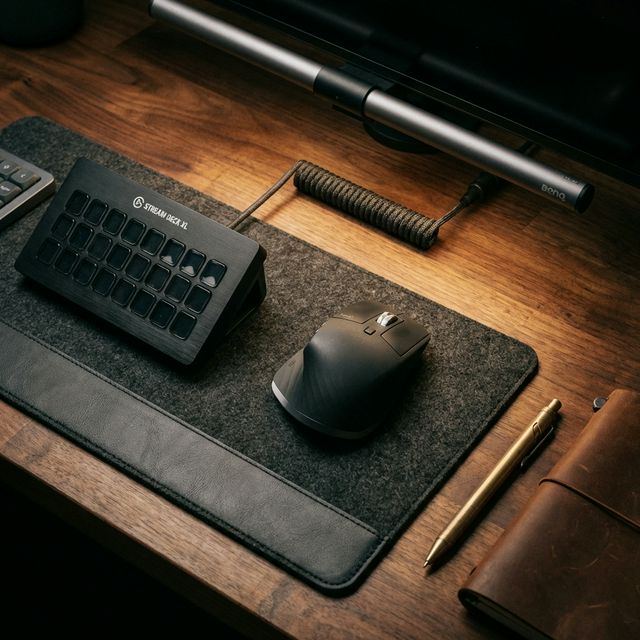
Wool Felt Desk Mat
$20The foundation of any cozy setup. Defines your workspace and dampens keyboard sound.
- Material: Warm, dark grey wool felt texture.
- Function: Prevents keyboard from sliding and protects desk surface.
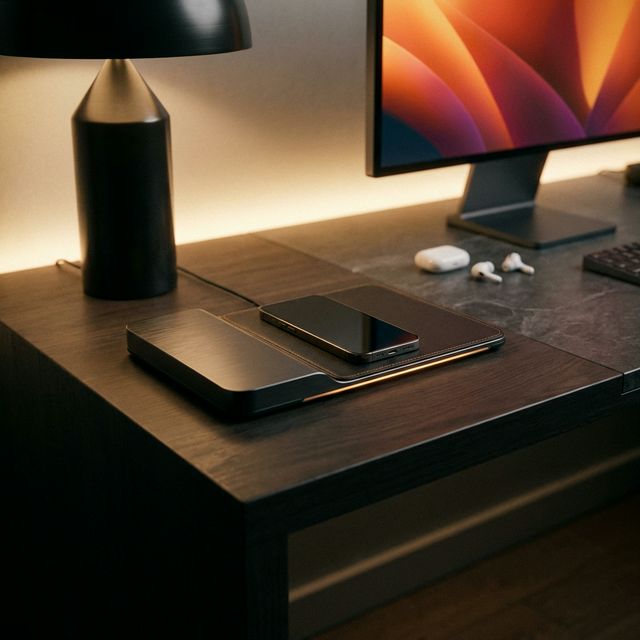
Anker MagGo 2-in-1
$39A dedicated home for your iPhone and AirPods. Supports StandBy mode in iOS 17+.
- Convenience: No more plugging/unplugging cables.
- Angle: Adjustable viewing angle for FaceTime calls.
5. Cleaning & Maintenance
Electric Air Duster
$60Stop buying canned air (it's wasteful and gets expensive). This rechargeable blower blasts dust out of your keyboard and PC case.
- Power: 40,000 RPM motor.
- Eco-Friendly: Reusable forever.
Whoosh! Screen Cleaner
$16The cleaner Apple stores use. Makes your screens look brand new and resists fingerprints.
- Safe: Alcohol and ammonia-free (won't damage coatings).
- Kit: Comes with a premium microfiber cloth.
Anker Nano II 65W
$39A charger simple enough to fit in your pocket but powerful enough to charge a MacBook Pro.
- GaN II Technology: Keeps it cool and tiny.
- Travel: Foldable prongs.
Final Verdict
You don't need everything on this list. Start with the 'Big Three': a laptop stand for your neck, a ScreenBar for your eyes, and an MX Master 3S for your hand. Those three upgrades alone will transform your workday.
What we like
- Small upgrades compound over time
- Most items are under $50
What could be better
- It's easy to buy clutter you don't need